Save jobs as you browse.
Analyze the ones worth your time.
Browse LinkedIn, Indeed, or any company career site. Click once to save a job to your FitToHire dashboard — the full description travels with it, so you never lose context when the listing expires.
Free to install. Save jobs for free. Pay only when you analyze — or go Pro for unlimited.
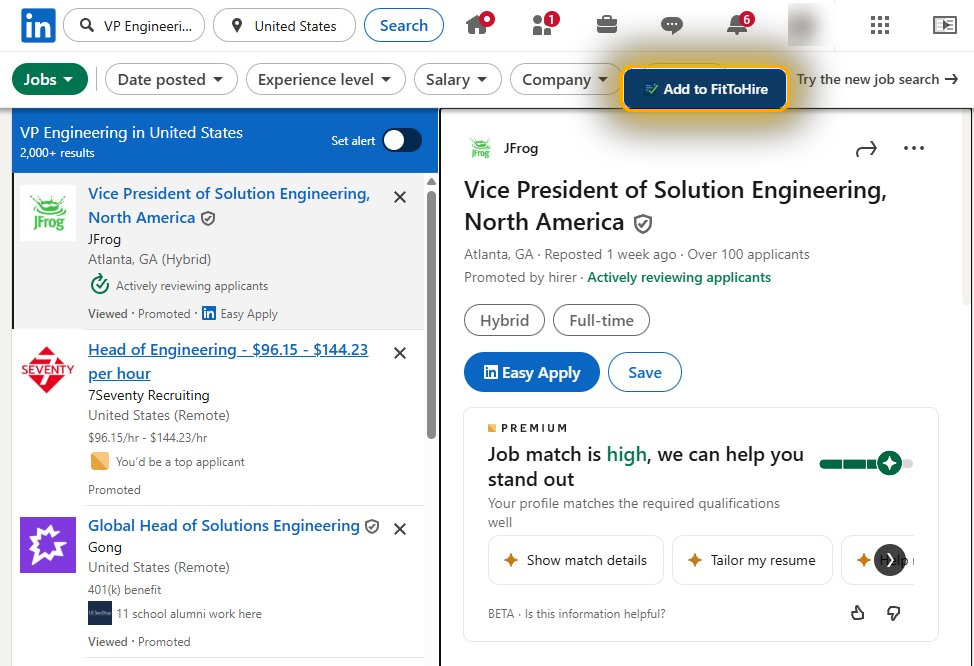
The button appears automatically on detected job pages — LinkedIn, Indeed, SAP SuccessFactors, and more.
How it works
Built for the way job search actually happens — browse, triage, decide.
1. Save as you browse
Click "Add to FitToHire" on any job page. It queues in the extension popup. Save one, or save twenty — no commitment, no cost.
2. Review in your dashboard
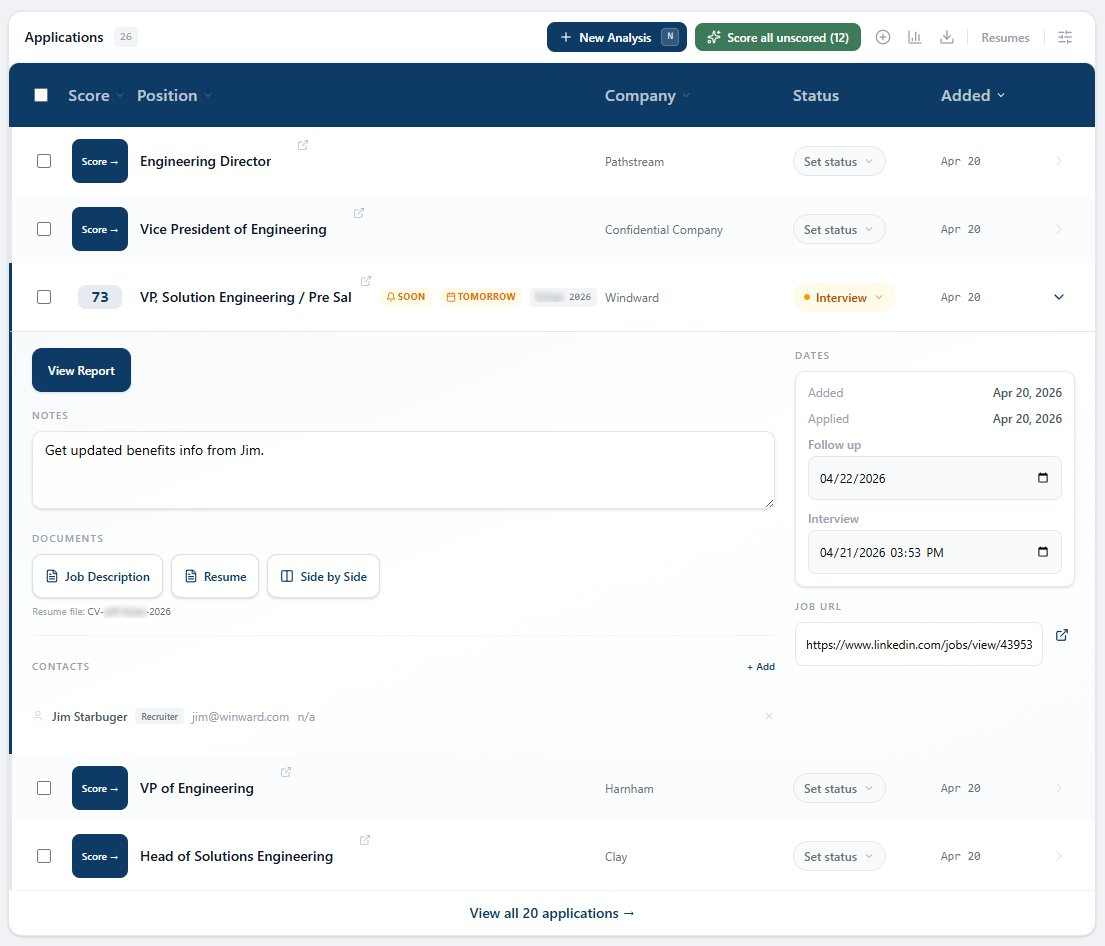
Saved jobs land in your FitToHire dashboard with the full job description preserved. Read them all in one place — no more switching tabs or chasing dead links.
3. Analyze the ones that matter
Triage the list. Pick the jobs worth a closer look. Get a detailed fit analysis with evidence, gaps, and the exact phrases to add to your resume.
Your queue, in the popup
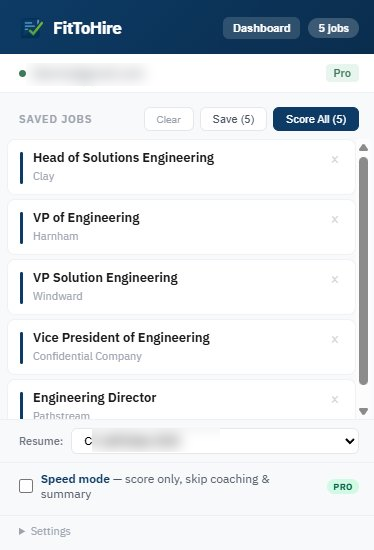
Open the extension popup to see every job you've saved. Remove the ones you don't want. Save them all to your dashboard at once, or — if you're on Pro — analyze them in a single click.
- Job title, company, and source site for each queued item
- Full job description captured automatically — no paste, no copy
- Pro: pick which saved resume to analyze with, right in the popup
Read, triage, decide
Your dashboard shows every saved job with the full description inline. Skim through them, dismiss the ones that aren't right, and pick the jobs worth analyzing.
Standard users: save unlimited jobs for free. Pay $8.99 per job you want analyzed, or upgrade to Pro for unlimited.
Pro users: analyze any number of saved jobs instantly, from the extension or the dashboard.
Works everywhere you look for jobs
LinkedIn, Indeed, SAP SuccessFactors, Greenhouse, Lever, Workday, and most company career pages. If it's a job listing, the button appears.

Skip the queue with Pro
Click "Analyze" directly from any job page. Choose the resume version that fits best. Unlimited analyses, unlimited saved resumes.
- • Unlimited analyses
- • Multiple saved resumes
- • One-click analyze from extension
- • Pick resume per job
- • Save unlimited jobs (free)
- • Read full JDs in dashboard
- • $8.99 per analysis when you're ready
- • Works with one resume
Ready to stop losing track?
Install the extension in under a minute. The next job you find — you save it. The one after that — you save it. By the end of the week, your dashboard knows more about your search than any spreadsheet.
Nothing to configure. Sign in once, save jobs forever.